How I enrich my chess lessons with ChessHUD
Despite advances in technology, the format of online chess lessons has barely changed in years. The supply of coaching, resources and platforms has exploded as the game has grown more popular, but the way we teach is still the same: one teacher, one student, and a shared screen showing the ChessBase or Lichess board.
The screen-sharing problem
When you share your screen, anything that isn’t on it doesn’t exist for the student. Yet during a lesson you sometimes need to show text (an instruction, a hint), a timer (for solving an exercise), or plenty of other information and features.
For a long time I juggled windows: the Windows clock app, a notepad or sticky notes for the instruction. Every switch from one window to another costs time and attention — and clicking on the board makes the app you just opened disappear… That’s what pushed me to build my own tool, ChessHUD.
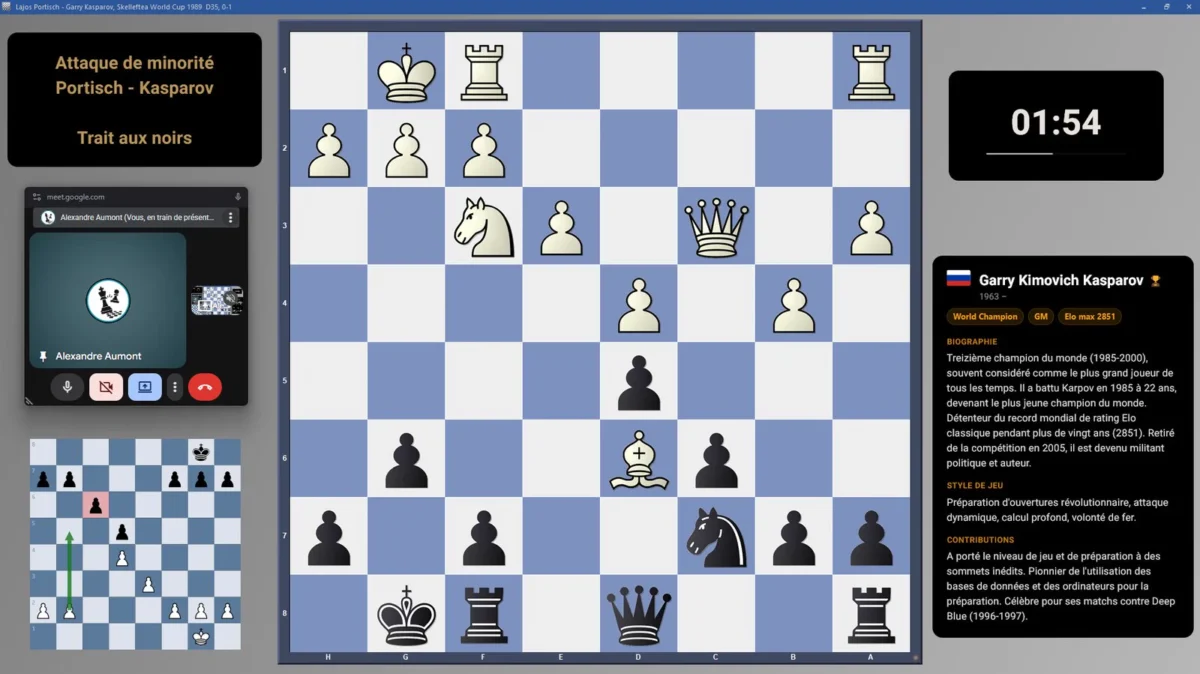
ChessHUD removes that dilemma by layering windows on top of your shared screen. The board stays visible; the information is added to it, without ever hiding it.
What ChessHUD makes possible
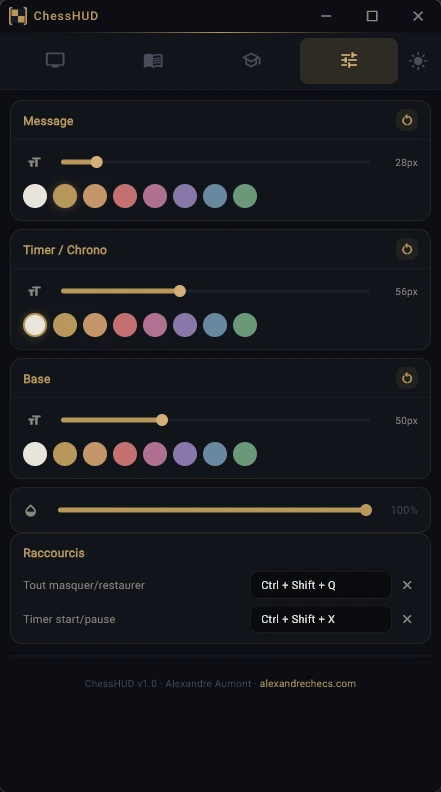
In practice, four overlays cover most of what I need:
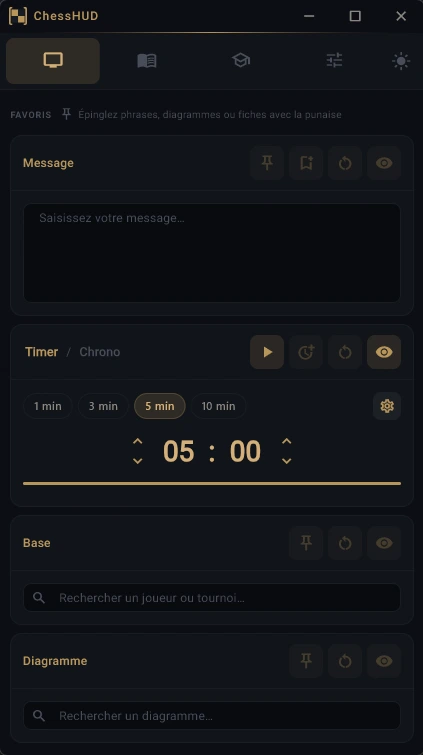
- Message: the instruction, the topic being studied, a hint to find the solution, any piece of text — and it stays in front of the student while they think. Recurring messages can be saved in a library so you don’t have to type them every time: one click and they appear.
- Timer: a countdown or stopwatch with a progress bar, adjustable added time and presets so you never waste a moment. Absolutely essential!
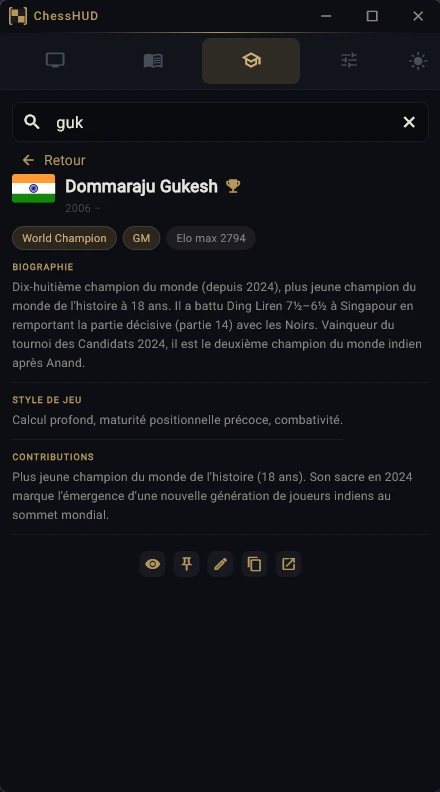
- Base, a database of 1,000 players and 140 tournaments. As a great lover of the game’s history, I find it wonderful to be able to display a short biography of the player whose game we’re studying. The database is local: it doesn’t slow down your connection, and never queries an AI live.
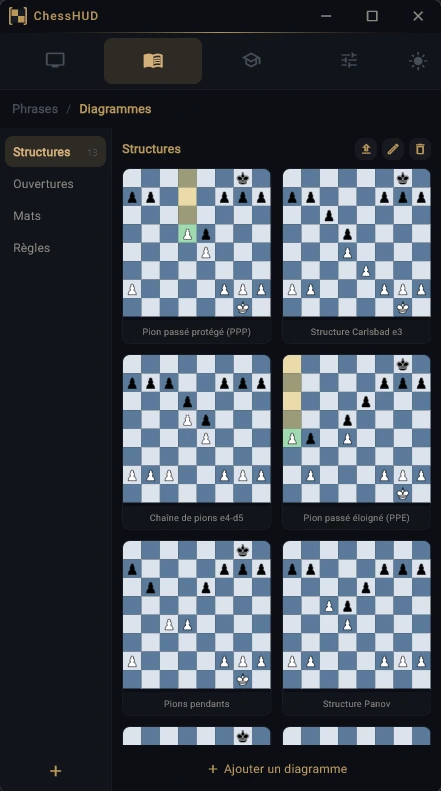
- Diagram, with a set of 62 diagrams already built into ChessHUD. Lichess-style arrows, ChessBase-style coloured squares, and a position editor. It lets you display a structure or a pattern next to the board, without going back and forth between databases.
A free tool I keep improving
ChessHUD is and will remain free. There are no ads, no tracking, and no account or email is required to download or use it. It runs on Windows 10 and 11, and its interface is available in seven languages.
If you teach chess, I invite you to give it a try: the ChessHUD page details every function, and you can download the app at chesshud.com.